Tutorial 10 of 10
Make printables together in a team workspace
Intermediate 5 min
Save a Printshop printable to a shared workspace, invite people with roles, see their changes live and keep Wi-Fi passwords on your own device.
A calendar for the club, the label sheet for the school fair, guest cards for the café: in a team workspace several people work on the same printable. Without signing in nothing changes — the workspace is always optional and Printshop keeps saving in this browser.
Save a printable to a workspace
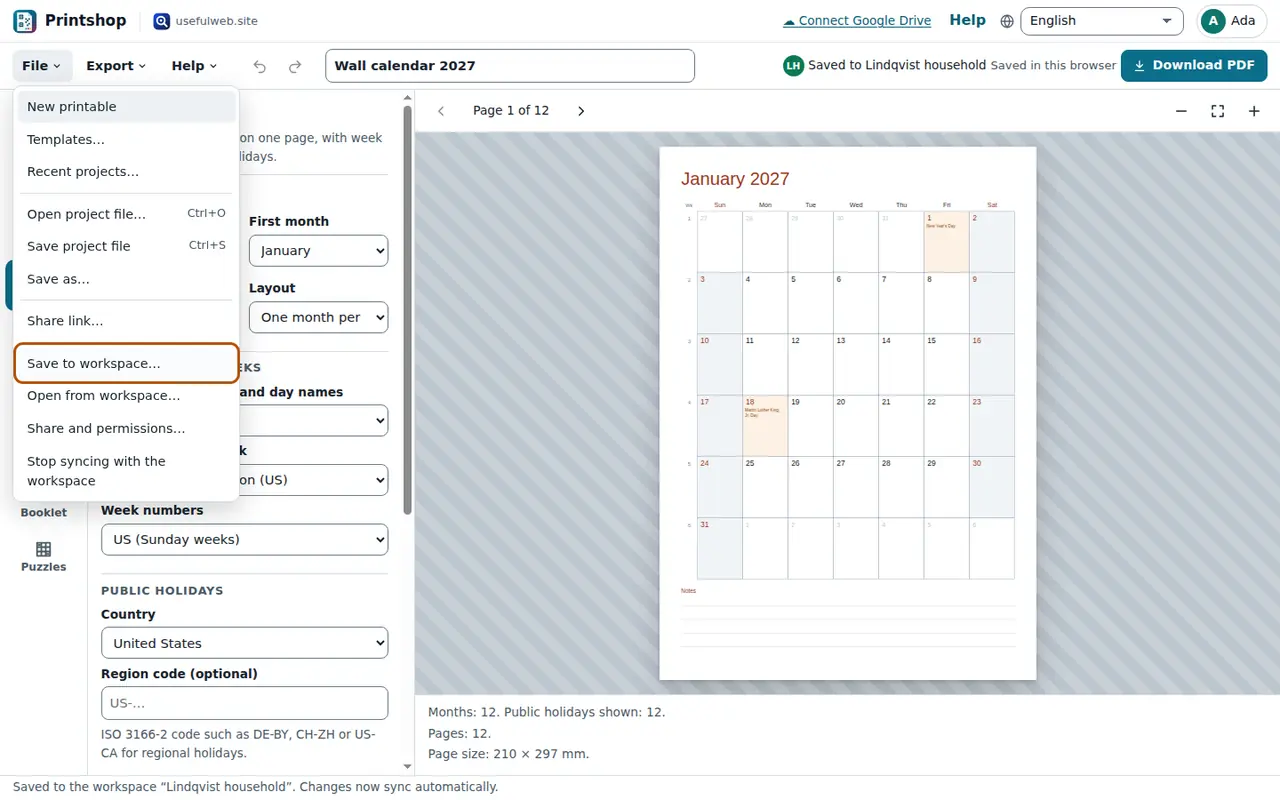
- Open the printable, then choose File → Save to workspace…. If you are not signed in yet, sign in with a passkey (or Google) — a passkey account needs no e-mail address.
- Pick a workspace or create one, check the title and choose Save.
- The chip next to the save state in the toolbar now says Saved to and the workspace name. Every change is saved to the workspace about a second after you make it.
Invite people and choose who may edit
Choose File → Share and permissions… to see the members, create an invite link with a role and copy a direct link to this printable. Owner, Admin and Member can edit, a Viewer can only look and print, and a Guest sees only what a sharing rule opens for them. Under the document's access rules you can raise or lower the access of a role or of one person for just this printable.
Work together live
Teammates open the printable with File → Open from workspace… or with the direct link (it ends in #teamdoc=…). The chip shows the initials of everyone who has it open. When someone else saves, their version appears in your preview automatically, on the page you are looking at. If you both changed it at the same moment, Printshop asks: Load their version, Keep mine and overwrite theirs or Save mine as a copy.
Opening another printable, a template, a file or a link stops syncing, so the shared printable is never overwritten by accident. Stop syncing with the workspace does the same on purpose; your copy stays saved in this browser.
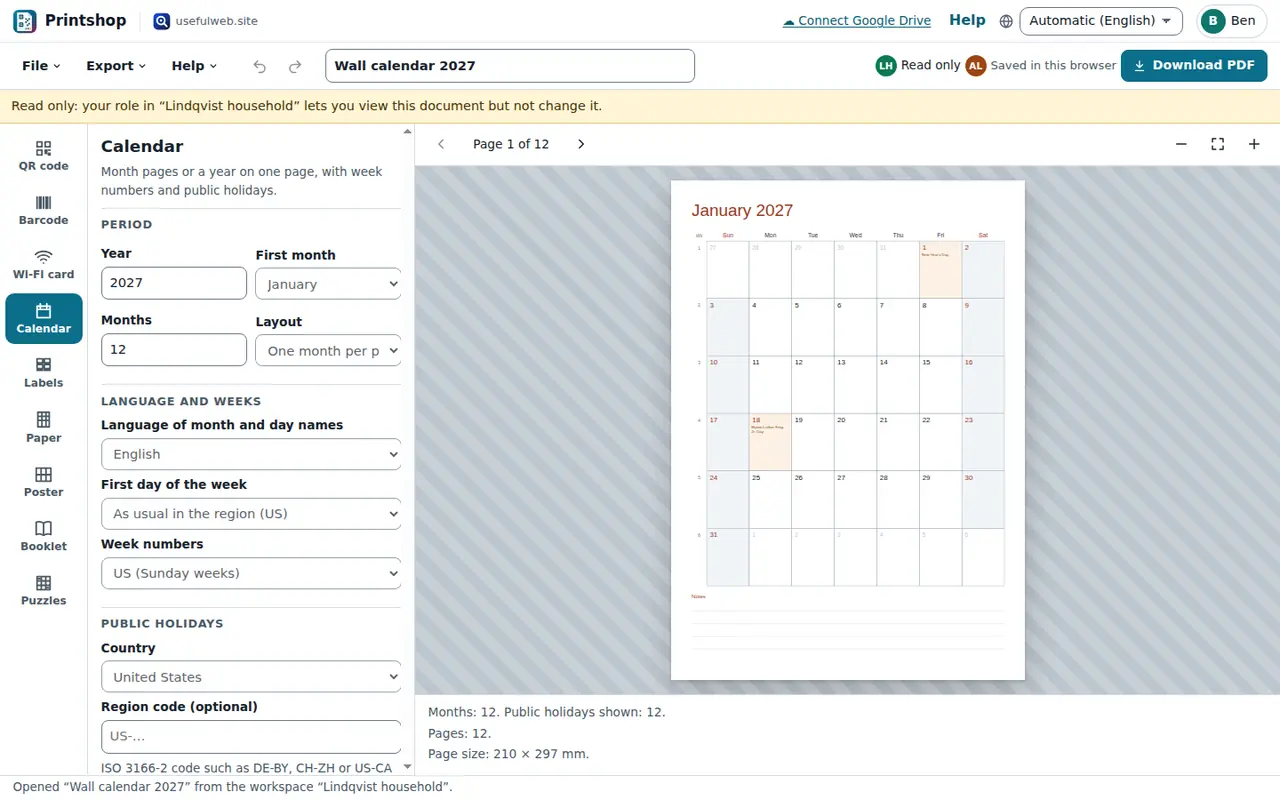
Read only for viewers
Viewers see a yellow note: Read only: your role in “…” lets you view this document but not change it. The settings show the shared values but cannot be changed, and every editing action explains why instead of changing the printable. Viewers can still flip through the pages and download or print the PDF.
What travels and what is not shared
Poster and booklet images travel as attachments of the workspace document, within the 50 MB storage of the workspace. Wi-Fi passwords are not shared: everybody types the password on their own computer before printing Wi-Fi cards, just like with share links and Drive copies.
Ready to try it?