Tutorial 8 of 9
Sudokus, mazes and nonograms with Puzzle Press
Beginner 8 min
Make printable sudokus with a proven single solution, mazes in any shape and picross puzzles from your own drawings, with answer keys and on-screen play.
Puzzle Press is the puzzle part of Printshop. It makes sheets to print — with the answers on separate pages — and you can also solve every puzzle on screen.
Start a puzzle sheet
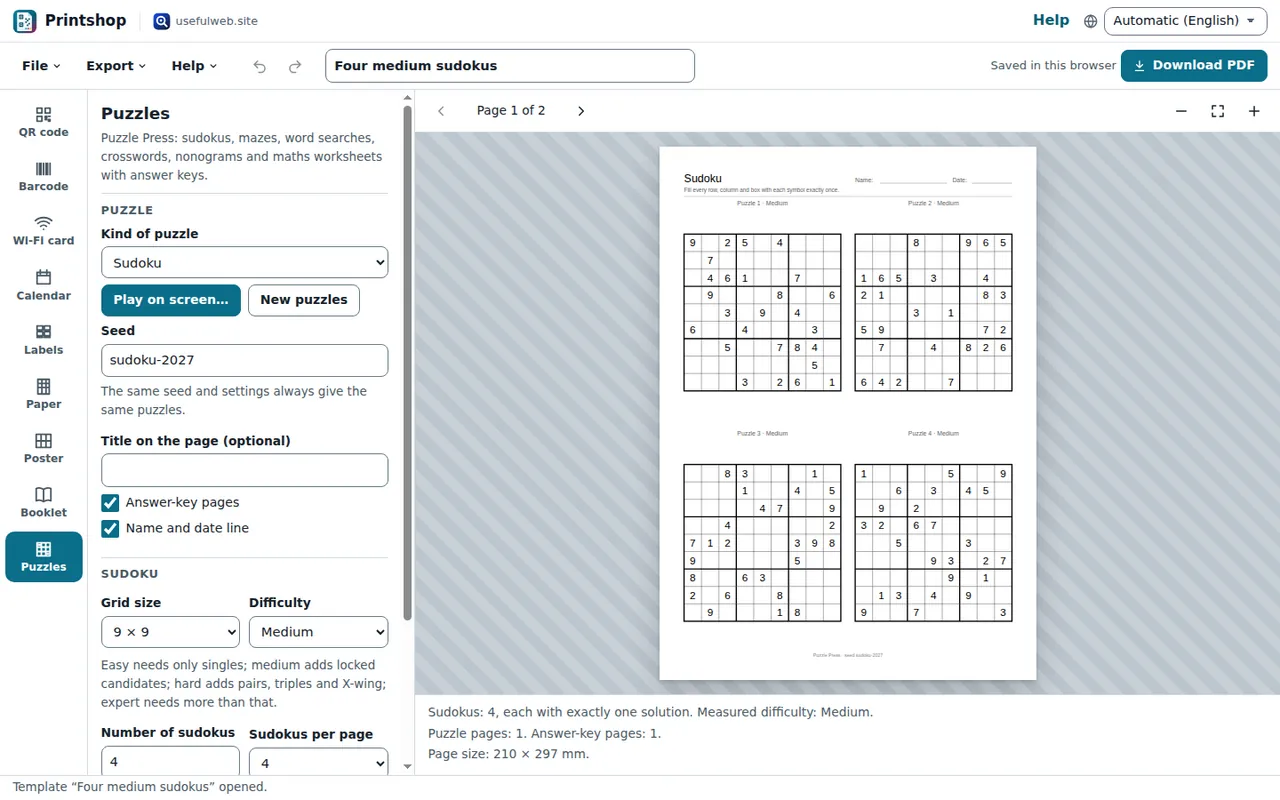
- Click Puzzles on the left (or press 9), or open one of the templates Four medium sudokus, Heart mazes, Round maze or Cat nonogram from File → Templates….
- Choose the Kind of puzzle: Sudoku, Maze, Word search, Crossword, Nonogram or Maths worksheet.
- The preview shows the real pages. The info lines below it tell you what was made, for example "Sudokus: 4, each with exactly one solution. Measured difficulty: Medium."
Every puzzle comes from a Seed. The same seed and settings always make the same puzzles, so a saved project or a share link prints exactly your sheet. Press New puzzles for a fresh set.
Answer-key pages adds the solutions after the puzzles; switch it off for the copy you hand out. Name and date line prints a line for pupils at the top.
Sudokus from 4 × 4 to 16 × 16
Under Sudoku choose the Grid size and the Difficulty:
- Easy needs only singles — the right start for children with a 4 × 4 or 6 × 6 grid.
- Medium adds locked candidates.
- Hard adds pairs, triples and X-wing.
- Expert puzzles still have one solution but need more than these techniques.
The level printed above each puzzle is measured by a logic solver, not guessed. If a puzzle could not be made as hard as you asked, the warning says so and the real level is printed. Number of sudokus and Sudokus per page (1, 2, 4 or 6) set the layout; Symmetric clues gives the classic pattern.
Mazes in squares, hexagons, circles and shapes
Under Maze:
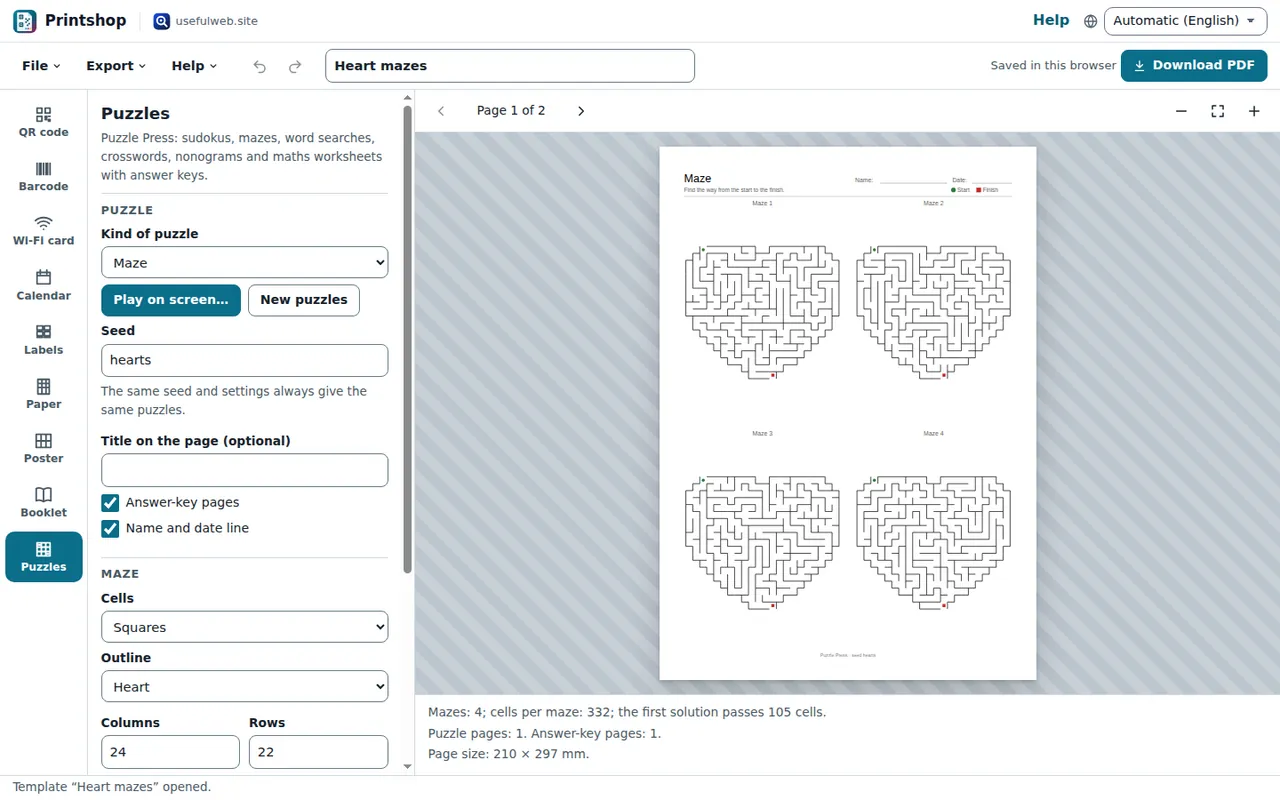
- Pick the Cells: Squares, Hexagons or Round (rings).
- For squares and hexagons choose an Outline — a heart, star, circle, diamond or triangle — or My own shape and draw it with
#signs, one line per row. - Set Columns and Rows (or Rings for a round maze).
- Choose the Algorithm: the Recursive backtracker makes long winding paths, Kruskal many short dead ends, and Wilson makes every possible maze equally likely.
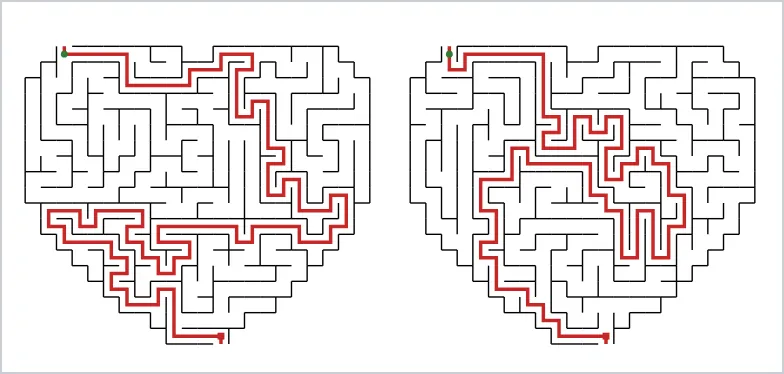
The start is a green dot, the finish a red square. The answer pages draw the path in red.
Nonograms from a picture
A nonogram shows numbers beside each row and above each column; they give the lengths of the filled blocks. Under Nonogram:
- Choose Picture from → Built-in picture and a Picture, or My drawing and type the drawing with
#for filled and.for empty cells. - Drawing from an image… turns a picture with a clear shape into a drawing: pick the image, set Columns, Rows and the Darkness threshold (0–255), check the preview and press Use this drawing.
- Keep Add givens until it solves without guessing on. Printshop solves the puzzle line by line; if it gets stuck, it prints a few cells as givens so there is exactly one solution.
Play on screen
Press Play on screen… in the Puzzle section. Sudokus: type into the cells and use the arrow keys. Mazes: click the maze and move the dot with the arrow keys or the Up, Left, Right and Down buttons. Nonograms: click or press Enter to fill a cell, right-click or press X to cross it out. Check marks mistakes, Show the solution reveals everything.
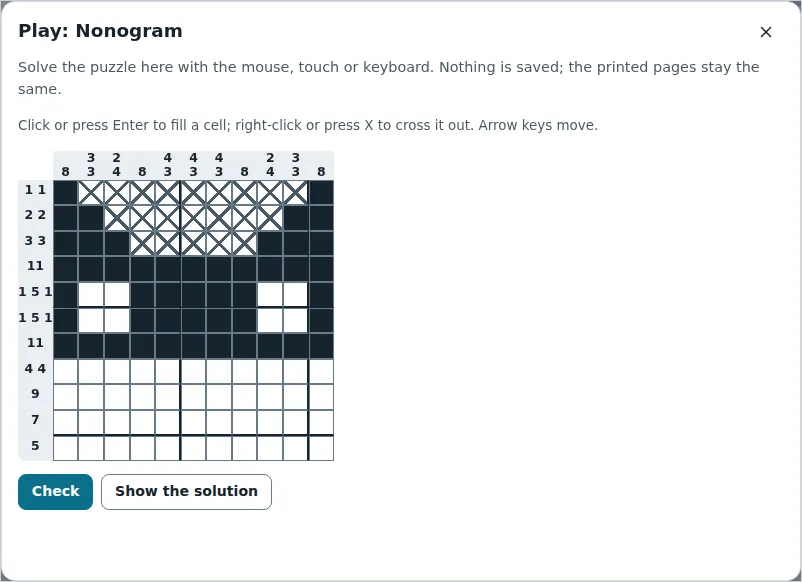
To send a puzzle to play, use File → Share link… and copy the Link to play the puzzle on screen. Word lists, crosswords and maths sheets are covered in Word puzzles and maths worksheets.
Ready to try it?